
Recovery Admin Dashboard
Click to view full screen

The Recovery Admin Dashboard ensures continuity if the Account Admin is unavailable or leaves the organisation, providing tools to manage users, approve access requests, and maintain secure access.
Navigation
The Navigation panel on the left gives you quick access user management and support.
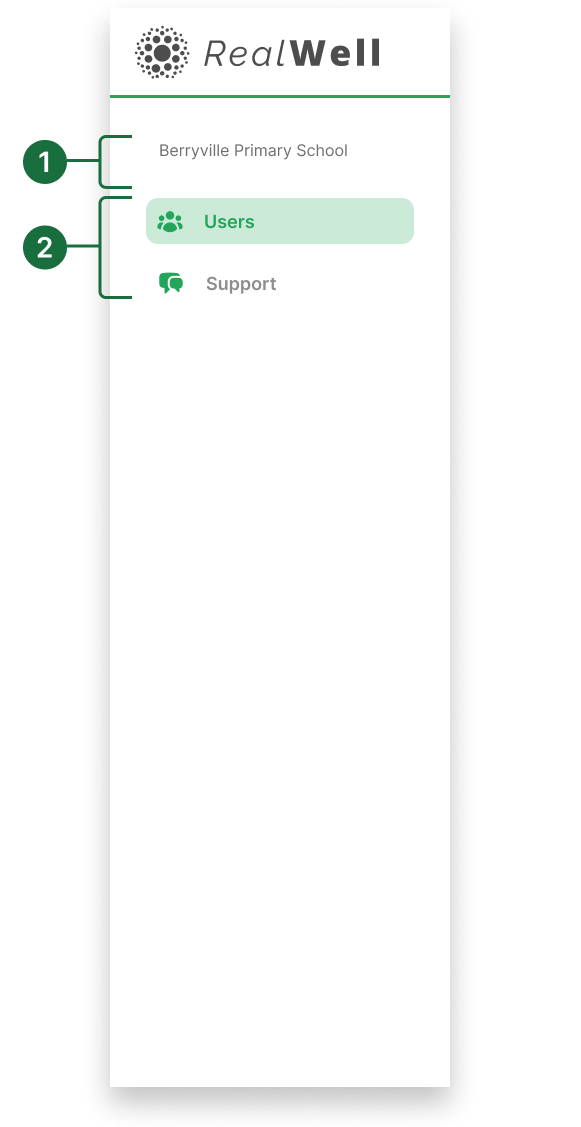
Organisation name: Displays your organisation or school name.
Primary navigation: Manage Users and access support documents and help.
Dashboard
The Recovery Admin’s default view is the Users page, where they can review access requests and manage users if the Account Admin is unavailable. Recovery Admins do not have access to other areas of the platform.
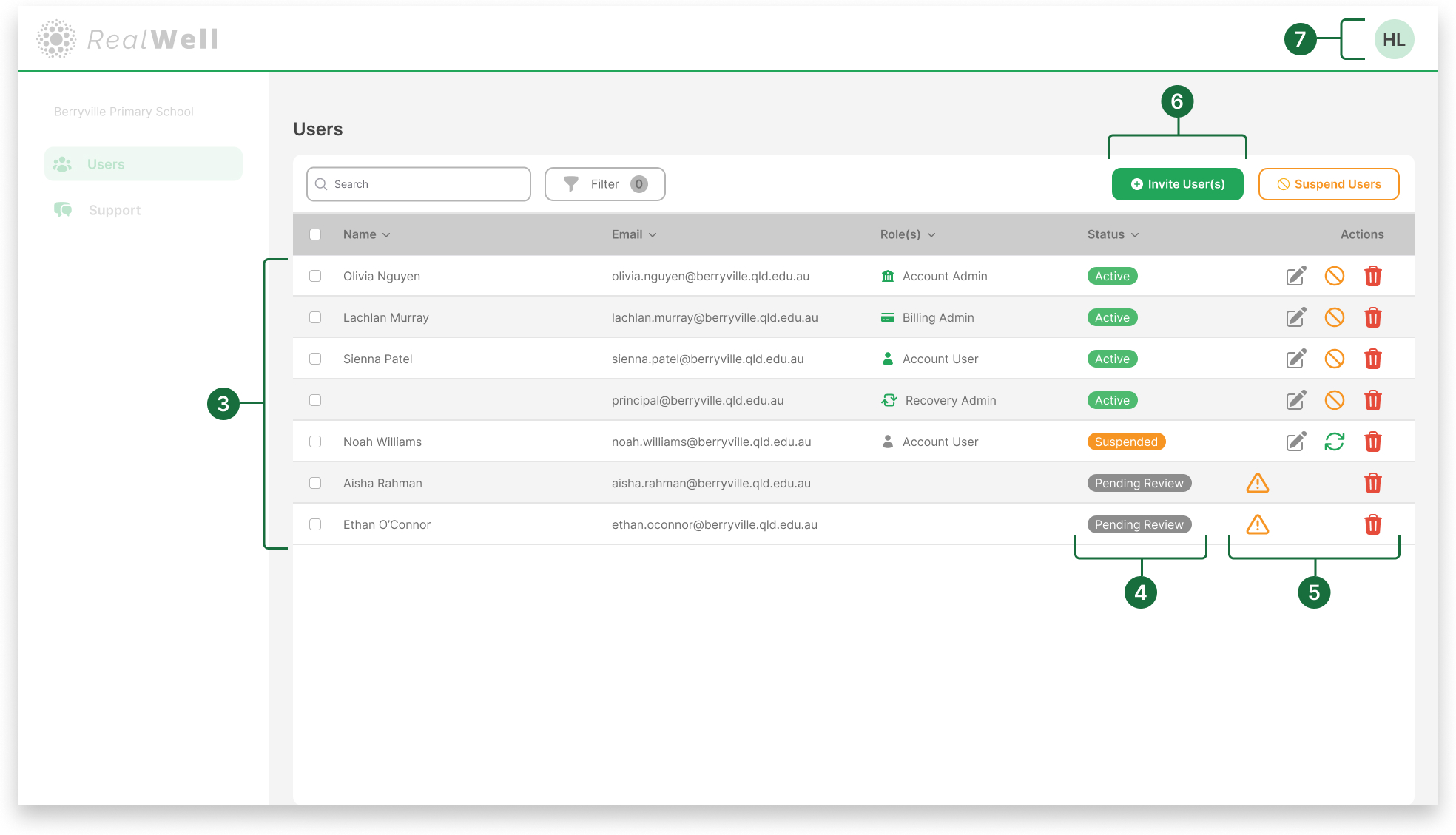
User list: View all users in your organisation, along with their name, email, role, and current status.
Status: Shows each user’s current access status.
Active: Access to the platform.
Suspended: Access has been paused.
Pending Review: Awaiting approval to join.
Pending Confirmation: Waiting for user to confirm their email address.
Actions Column
 Edit user details.
 Suspend an active user.
 Reactivate a suspended user.
 Delete a user.
 Review Access Request: Appears when a new user has requested access.
Click the warning icon to review the request.
Invite New Users: Click Invite user(s) to send an invitation to join the platform.
User Profile dropdown: Click your initials to manage your own profile or log out.