Billing Admin Dashboard
Click to view full screen

The Billing Admin Dashboard gives you quick access to manage app licensing plans, billing, and payments for your organisation.
Navigation
The Navigation panel on the left gives you access to your dashboard, apps and billing, and support.
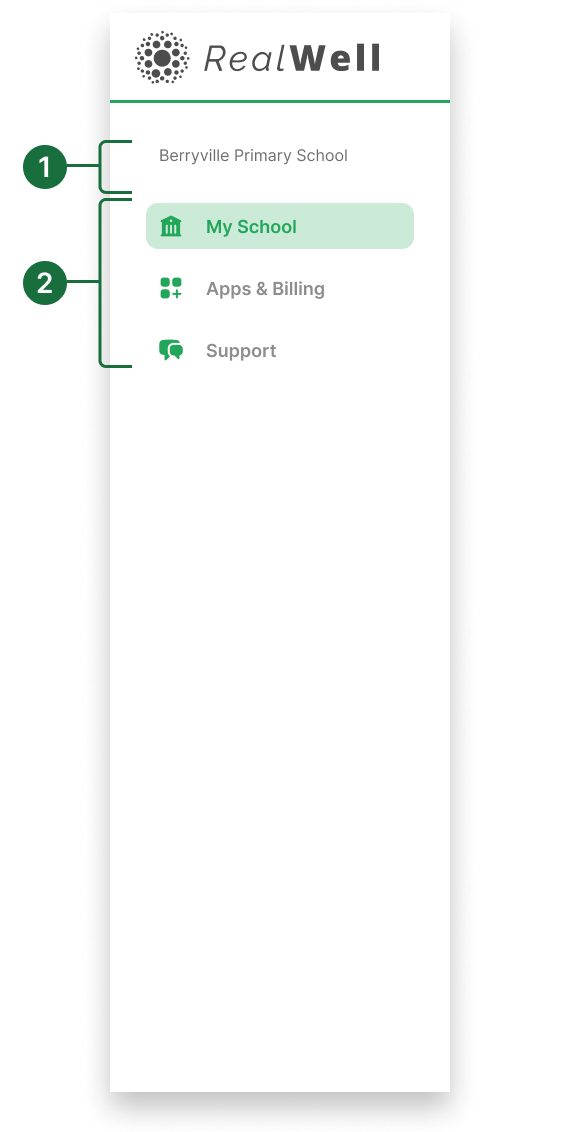
Organisation name: Displays your organisation or school name.
Primary navigation: Use these links to access My School / My Agency, Apps & Billing, and access support documents and help.
Dashboard
The dashboard presents a snapshot of your organisation’s details, apps, billing, and security, with direct links to manage each area.
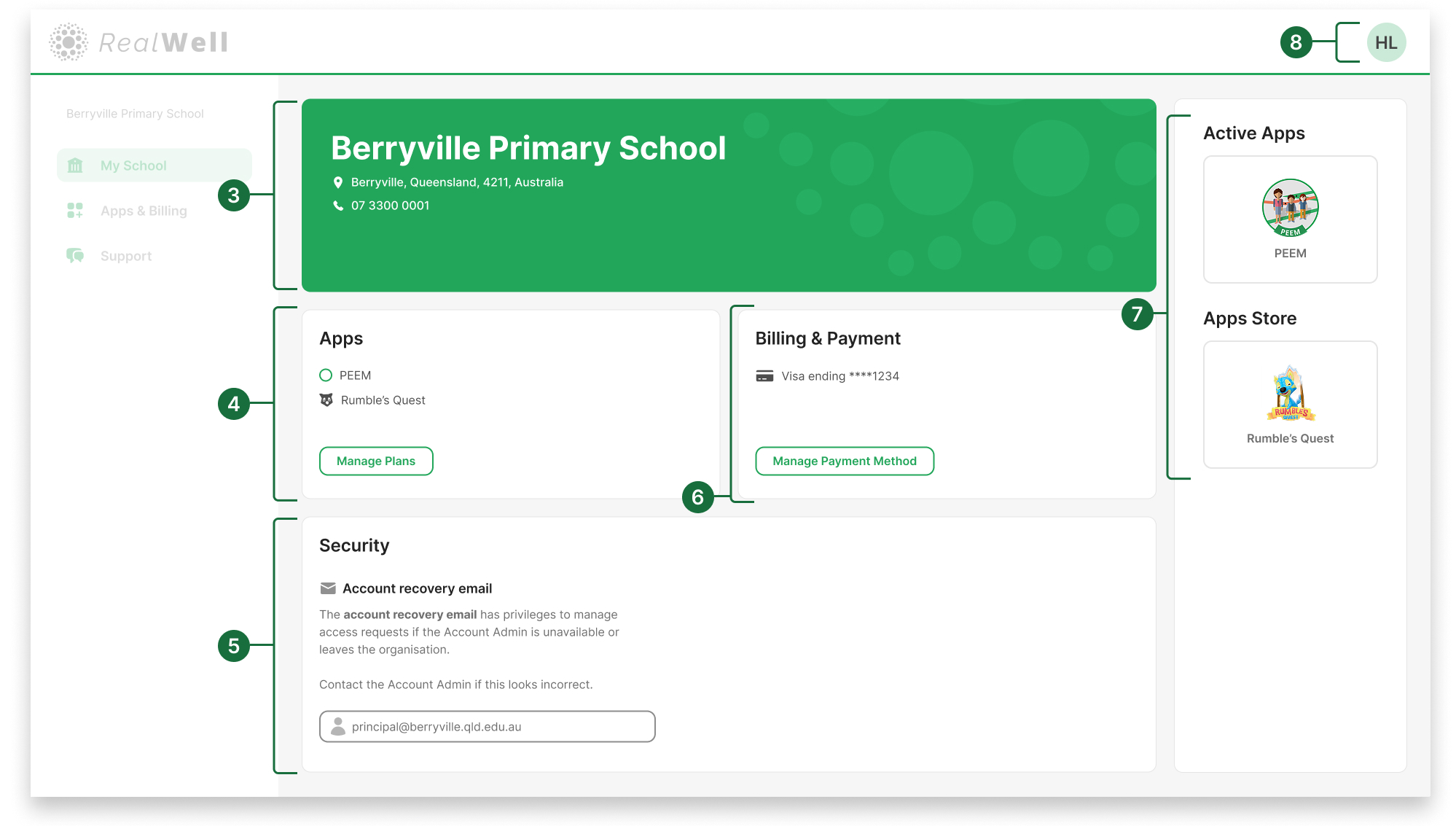
Organisation profile: Displays your organisation or school details.
Apps: Displays your licensed apps. Click Manage Plans to review or manage your licensed and available apps.
Security: Displays the Account Recovery Email, which is used to manage access if the Account Admin is unavailable. This ensures your organisation always has a way to recover the account.
If the recovery email looks incorrect, contact your Account Admin to have it updated.Billing & payment: Displays your current payment method. Click Manage Payment Method to view and manage payment methods.
App store: Shows other RealWell tools available for licensing.
User Profile dropdown: Click your initials to access your profile settings or log out.