
View Submission History
Click to view full screen…

The submission history panel shows every time a child has completed Rumble's Quest, along with their profile details at the time of each submission.
To open the panel, click the View icon (eye) on the child's row in the Children table.
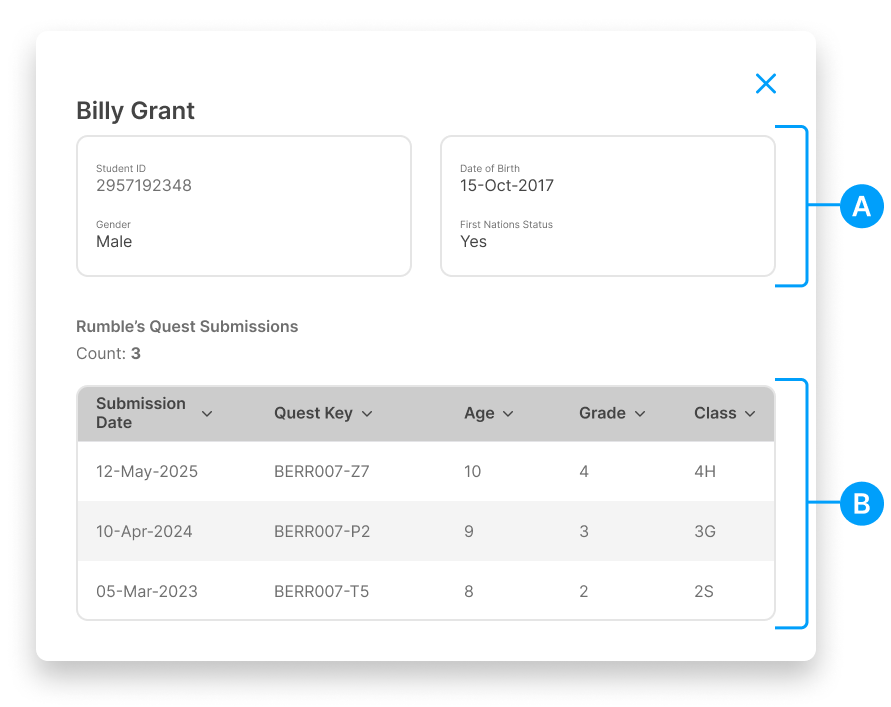
Child Profile (A)
The top of the panel shows the child's current details:
Name
Child ID
Gender
Date of Birth
First Nations Status
Submission History (B)
The table lists every time this child has completed Rumble's Quest, with:
Column | Description |
|---|---|
Submission Date | When the child completed the game |
Quest Key | The Quest Key used for that session |
Age | Child's age at the time of submission |
Grade | Grade level at the time of submission |
Class/Group | Class or group at the time of submission |
This history is useful for tracking a child's participation over multiple years and seeing how their details may have changed between submissions.