
Billing History
Click to view full screen

The Billing History tab allows you to view all past and current invoices for your organisation’s app licences. You can track payment status, amounts, and payment methods, and download invoices for your records.
Note: If payment was requested by invoice, the entry will appear as an invoice until payment is received, after which the status updates to Paid.
Billing History View
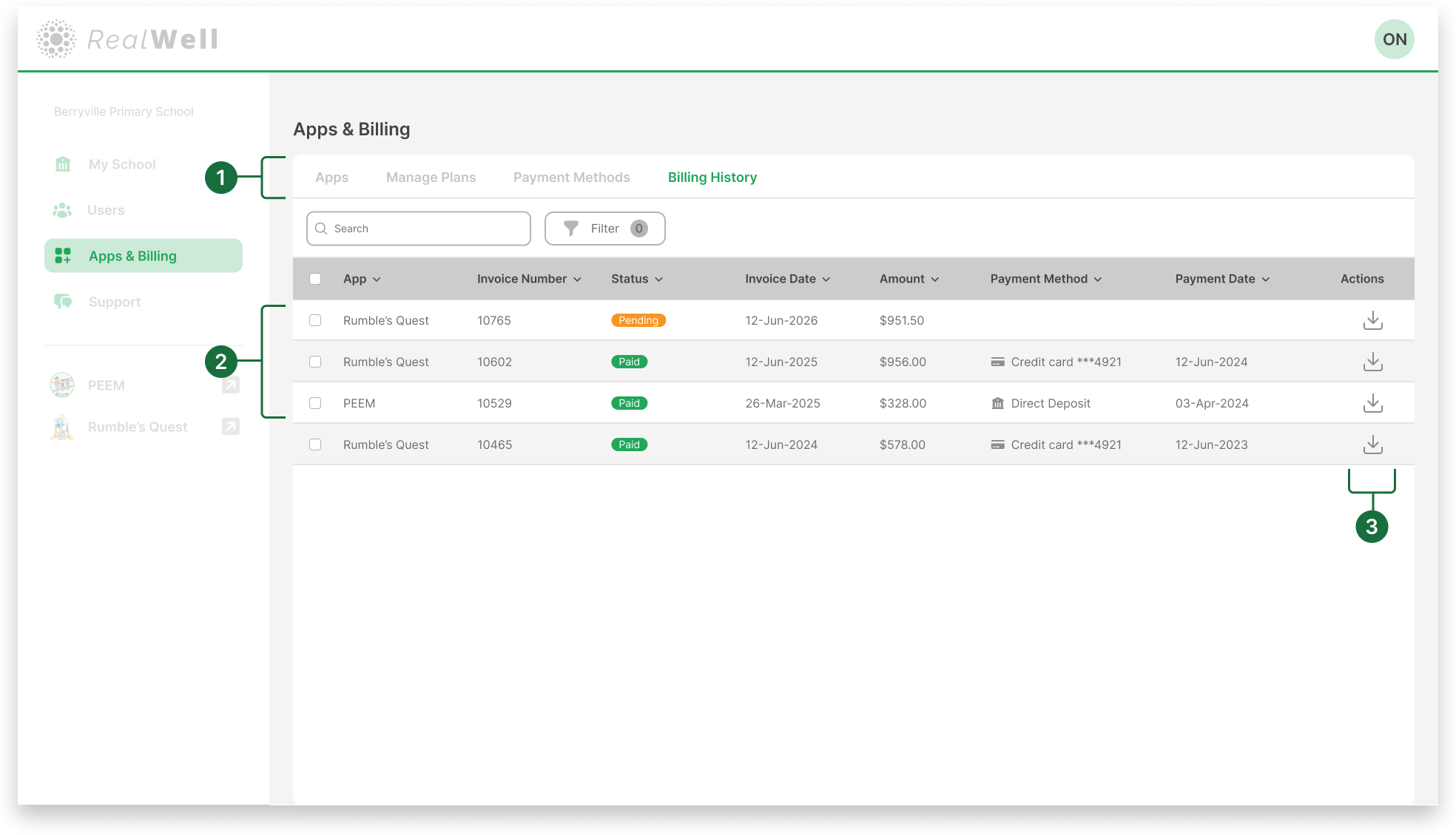
Sub-navigation bar: Located at the top of the Apps & Billing page. In this case, the Billing History tab is selected.
Invoice list: Shows all invoices issued to your organisation, including:
App
Invoice number
Status (e.g. Pending, Paid)
Invoice date
Amount
Payment method
Payment date
Download invoice: Select the download icon to export a copy of the invoice.