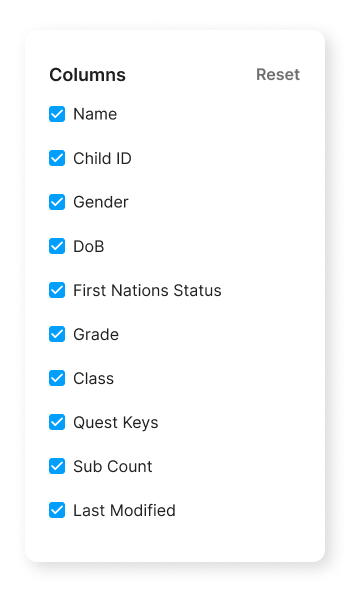
Customise Columns
Click to view full screen…

The Customise panel lets you control which columns are visible in the Children table, so you can focus on the information most relevant to your current task.
To open the panel, click Customise on the Children page. Toggle columns on or off using the checkboxes, then close the panel to apply your changes.
Available Columns
Column | Description |
|---|---|
Name | First and last name |
Child ID | The unique identifier used to match records during import |
Gender | Male, Female, or Non-binary |
DoB | Date of birth |
First Nations Status | Yes, No, or Unspecified |
Grade | Grade level |
Class | Class or group assignment |
Quest Keys | Quest Keys linked to each child's submissions |
Sub Count | The number of times each child has completed Rumble's Quest |
Last Modified | When the child's record was last added or updated |
All columns are enabled by default. Click Reset to restore the default settings.