
Archive Children
Click to view full screen…

Over time, children leave your school or organisation, but their data still has value. Archiving removes children from the active list without deleting their records or submission history. Archived children can be restored at any time.
Archiving Children
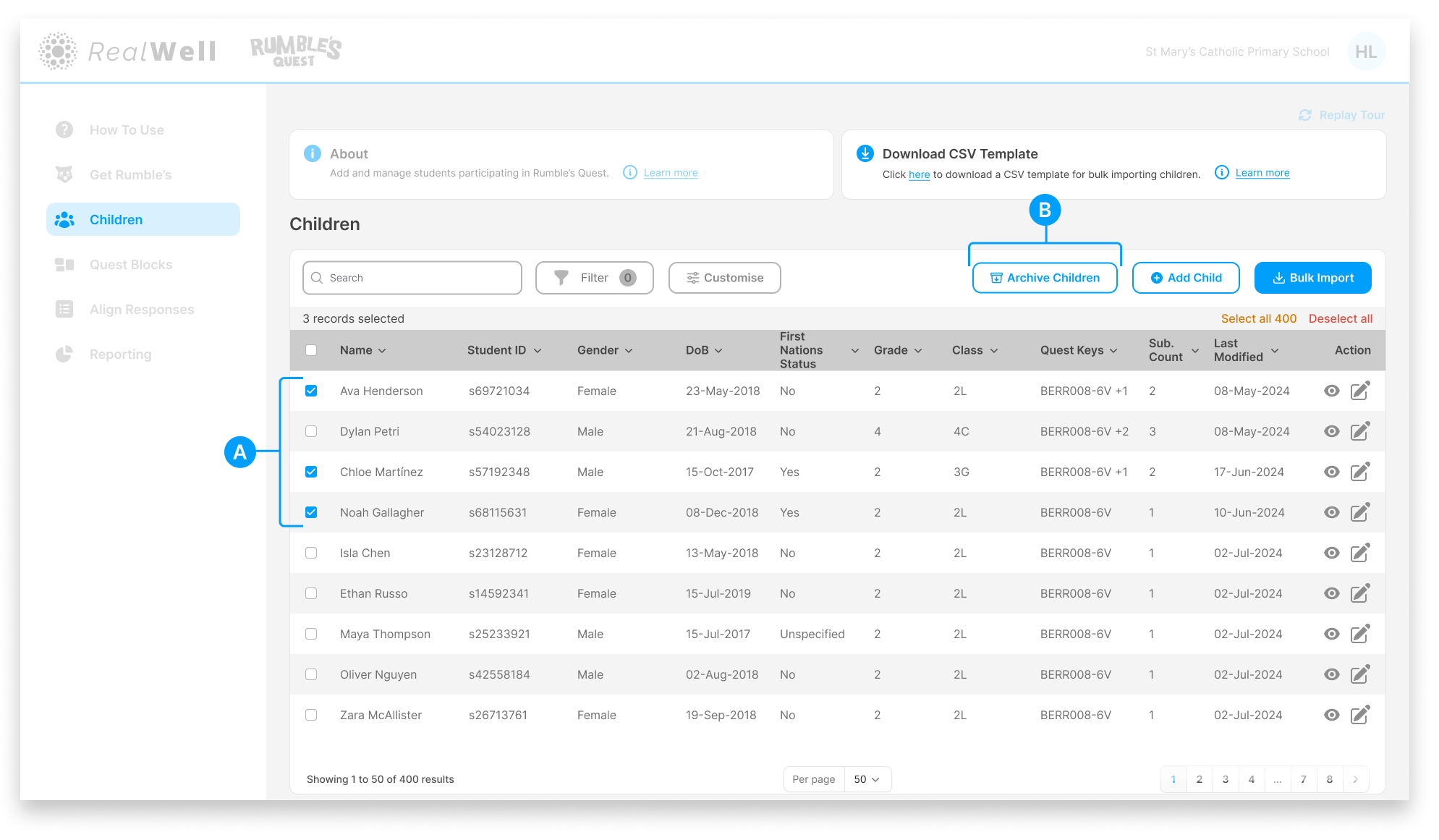
(A) Select children – Use the checkboxes to select one or more children from the table. A count of selected records appears above the table header, along with options to Select All or Deselect All.
(B) Archive Children – Click to archive the selected children. A confirmation prompt will appear before the action is completed.
Once confirmed, the selected children are removed from the active list. Their records and submission history are preserved and can be accessed at any time through the Archived Children filter.
Viewing Archived Children
Archived children are hidden from the main list by default. To view them, open the Filter panel and scroll to the bottom.
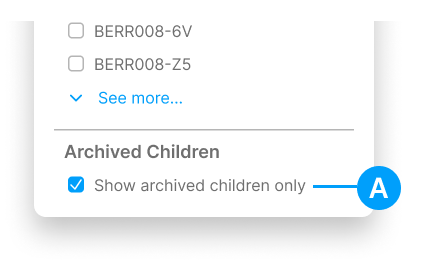
(A) Show archived children only – Enable this checkbox to switch the view to archived children.
When enabled, the Children page updates to show only archived records, and the Archive Children button is replaced with Unarchive Children.
Unarchiving Children
With the Archived Children filter active, the page displays your archived records.
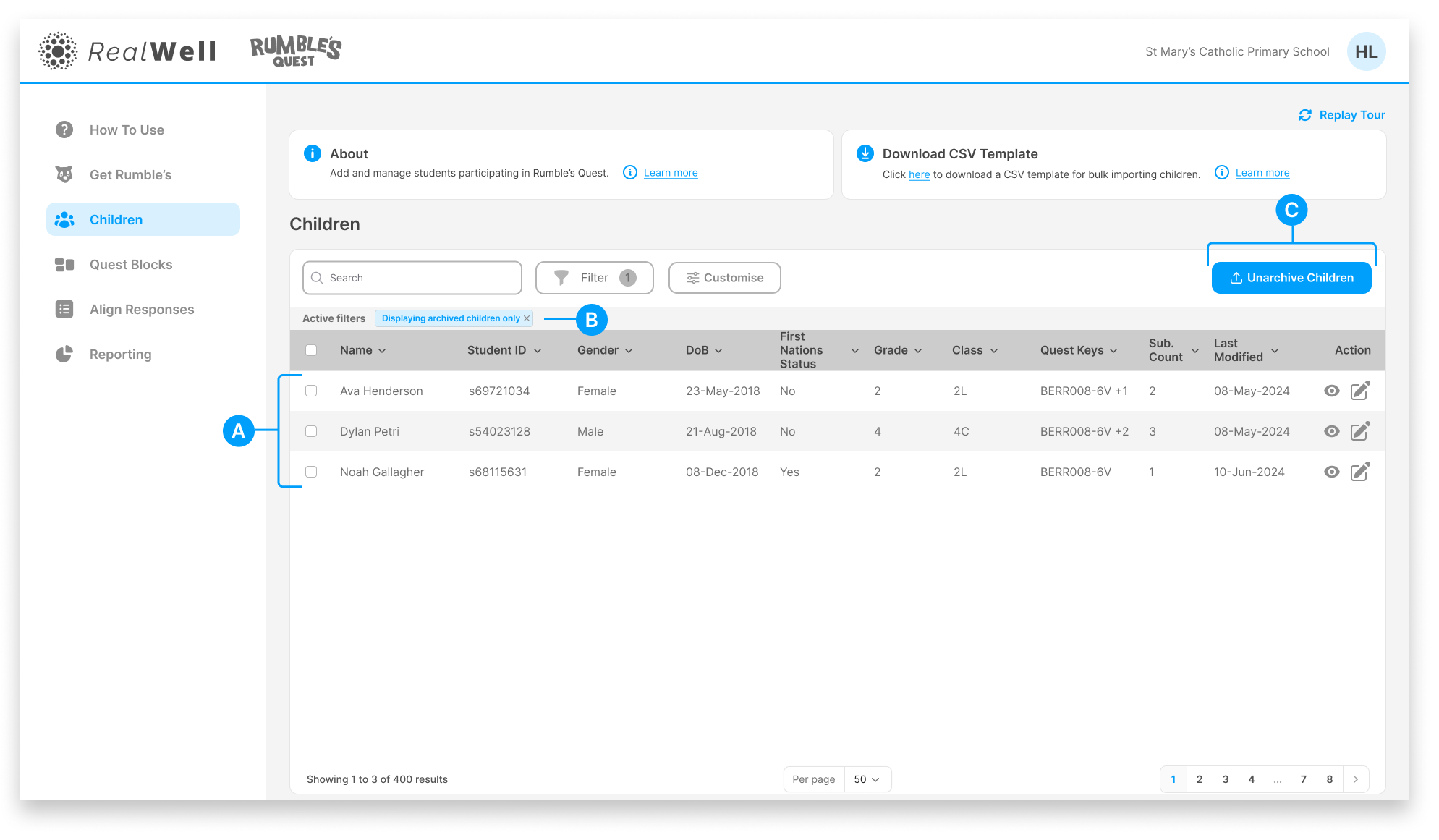
(A) Archived children – The table shows only archived children
(B) Active filter tag – Confirms the archived filter is applied. Click the x on the tag to return to the active children list.
(C) Unarchive Children – Select one or more archived children using the checkboxes, then click to restore them. A confirmation prompt will appear before the action is completed.
Once confirmed, the children are moved back to the active list and will no longer appear in the archived view.