Account User Dashboard
Click to view full screen

The Account User Dashboard shows which wellbeing tools your organisation currently has access to, and others to learn more about.
Navigation
The Navigation panel on the left gives you quick access to your apps and support.
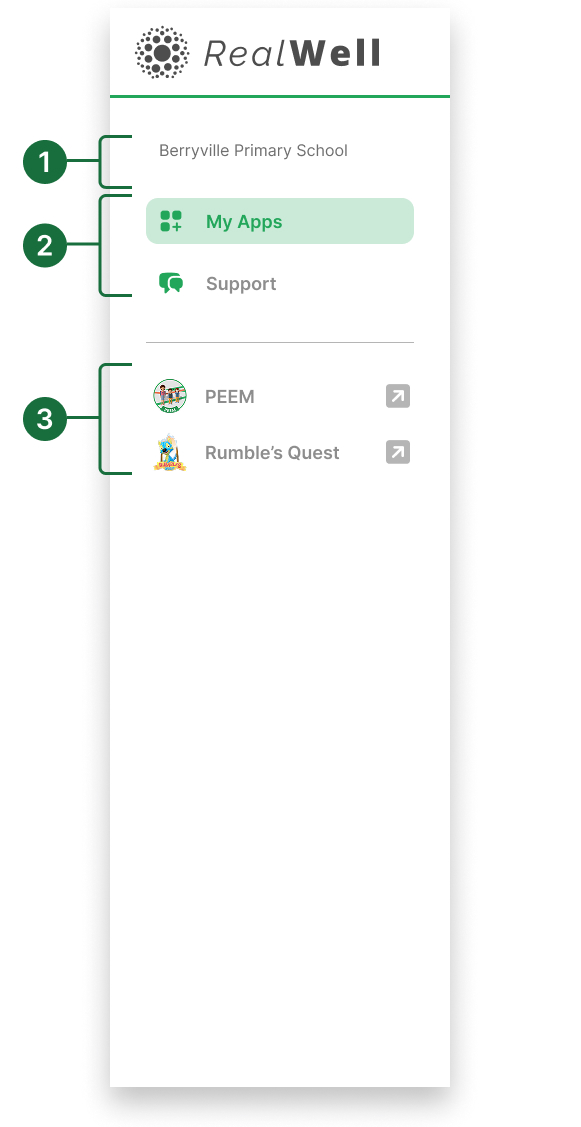
Organisation name: Displays your organisation or school name.
Primary navigation: View available apps and access support documents and help.
Active apps: Lists the licensed apps available for use within your organisation.
Dashboard
The dashboard provides a view of licensed and available apps.
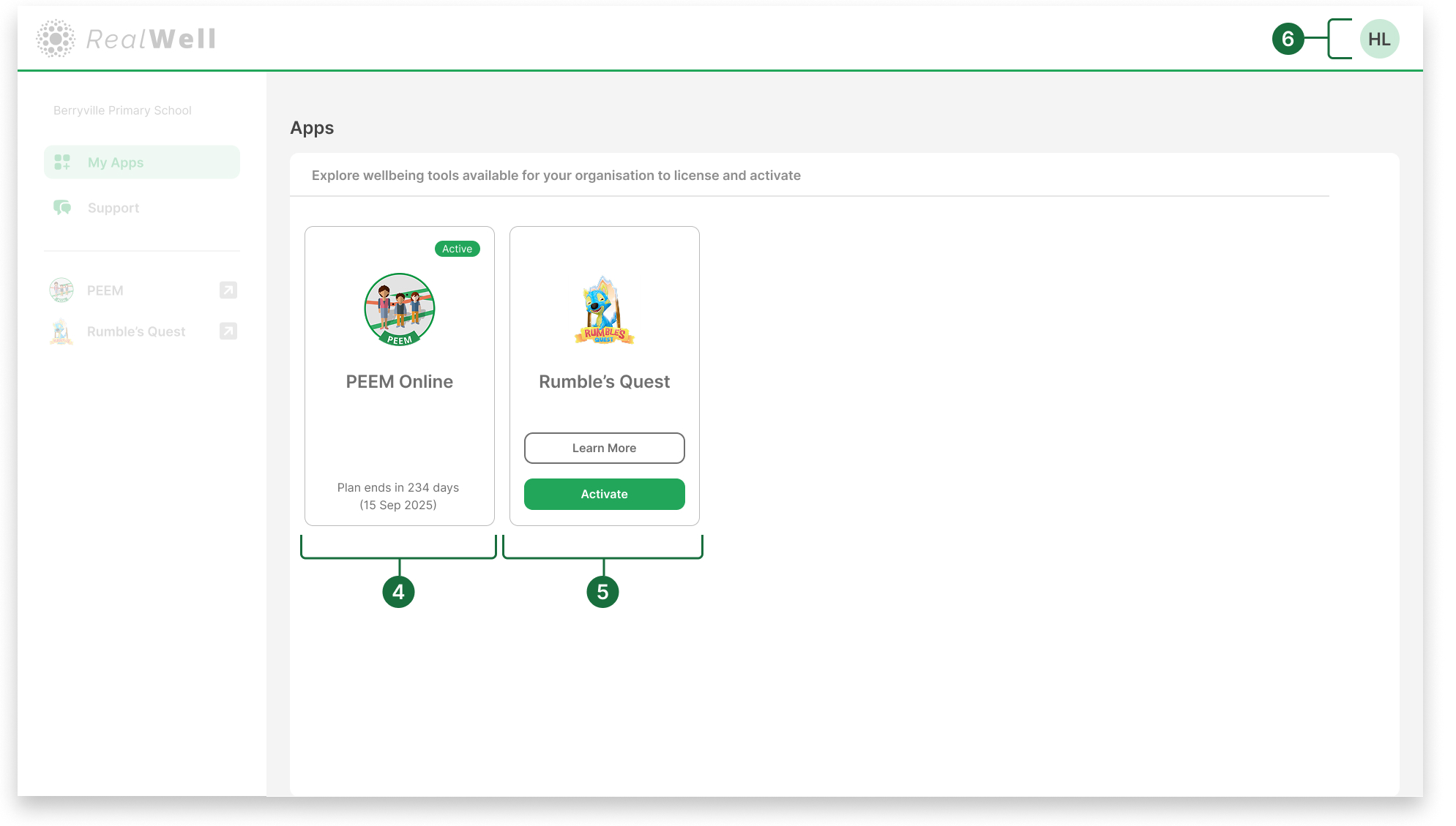
Licensed apps: Displays your organisation's active apps. An Active badge indicates that the app is currently licensed and available for use within your organisation.
Available apps: Shows apps your organisation hasn’t yet activated. Click Learn more to view app details.
User Profile dropdown: Click your initials to manage your own profile or log out.