4 - Quest Blocks
Click to view full screen…

A Quest Block represents a data collection round. When you create a Quest Block, the system generates a unique Quest Key that children enter to play the game. All submissions using that Quest Key are grouped together, making it easy to track participation and generate reports for that round.
Most schools and organisations create one Quest Block per year (e.g., "All School 2025"), though you can create multiple if you're running separate data collection periods.
The Quest Blocks page is where you view and manage all Quest Blocks for your school or organisation.
Page Overview
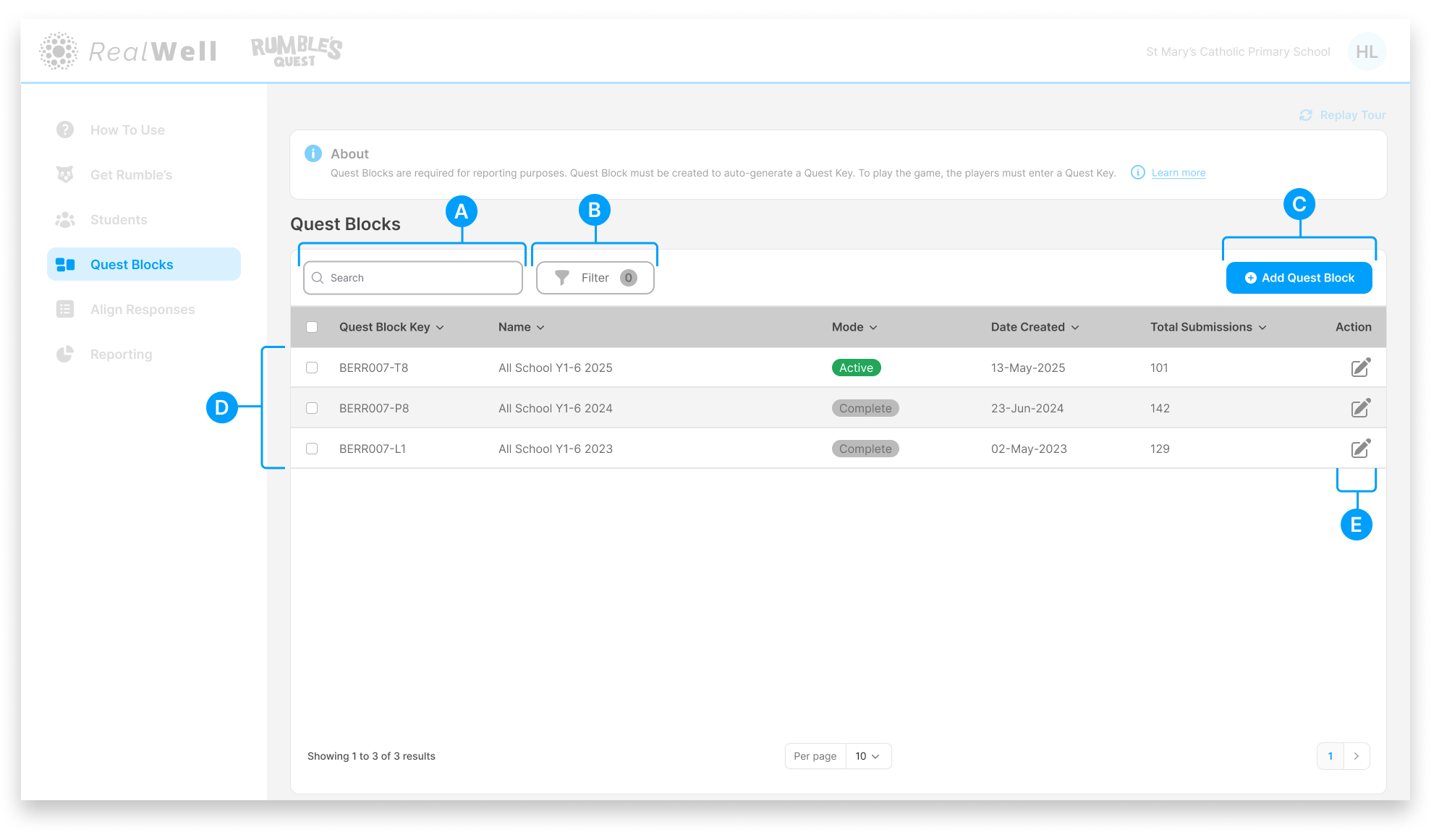
(A) Search – Find Quest Blocks by name, Quest Key, or Mode
(B) Filter – Narrow results by mode or date created
(C) Add Quest Block – Create a new Quest Block. See Add Quest Block.
(D) Quest Blocks table – Displays all Quest Blocks with their Quest Key, Name, Mode, Date Created, and Total Submissions
(E) Edit – Edit the Quest Block details or change its mode. See Edit Quest Block.
Quest Keys
Each Quest Block is assigned a unique Quest Key when it's created. This is the code children enter when they launch the game, so have it ready for each session.
Quest Keys are displayed in the table alongside each Quest Block's name.
Filter Options
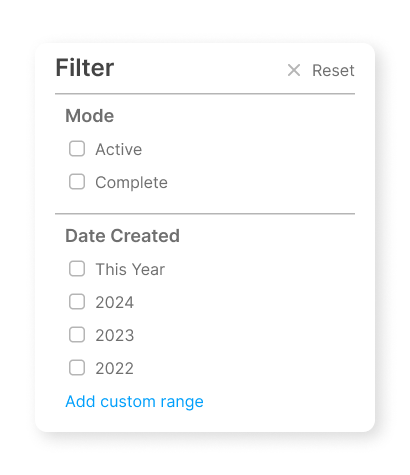
Mode Filter by Active or Complete status.
Date Created Filter Quest Blocks based on selected years or a custom date range.
Actions
Each row has an edit icon:
Edit (pencil icon) – Edit the Quest Block details or change its mode. See Edit Quest Block.
To get started, click Add Quest Block to create a new data collection round, or click the Edit icon on an existing Quest Block to update its details.